How To Open Ford Key Fob Step by Step Better 9 Guide?
How to open Ford key fob? It seems simple yet is vital for replacing the battery. If your key fob stops working, changing the battery might fix it.
This guide shows you how to access it, keeping your keyless entry working well. We’ll outline the steps clearly, from preparing your tools to putting the key fob back together after.
This guide helps everyone, whether you’re skilled at DIY or new to car ownership. You’ll have all the info you need to keep your Ford key fob working smoothly.
Ready to start? Let’s open your Ford key fob and keep your car easy to access!
What is Ford Key Fob Models?
Ford makes different kinds of key fobs. Each one is designed to make using your car easier and safer. It’s good to know the various types available.
This helps you figure out which one you have and how it works. Below, we’ll go over the main kinds of Ford key fobs. We’ll also give tips on how to identify your specific model.
Types of Ford Key Fobs
Ford has three main key fob types:
- Flip Key: This has a flip-out key. It’s easy to carry around because of its compact size.
- Smart Key: This is a high-tech choice. It lets you get in and start your car without a physical key.
- Integrated Key: This type combines a regular key with the fob. It’s convenient because it offers both features in one.
Identifying Your Key Fob Model
To identify your Ford key fob model, look at these aspects:
- Check the fob’s shape and size.
- Look at the layout and number of buttons.
- Notice any special features that show different functions.
By paying attention, you can learn how to open and service your key fob properly.
Tools and Materials Needed
Before you start changing your Ford key fob’s battery, the right tools are key. Choosing the correct tools for the job makes it easier and keeps your key fob safe from harm.
Here’s what you’ll need to replace the battery smoothly.
Essential Tools For Battery Replacement
- Small Flathead Screwdriver: Ideal for gently prying open the key fob casing without causing damage.
- Replacement Battery: Typically, a CR2032 or CR2025 battery is required for most Ford key fobs.
Optional Tools To Simplify The Process
- Plastic Pry Tool: Helps avoid scratches or marks while opening the fob.
- Needle-Nose Pliers: Useful if you encounter a stubborn battery that is difficult to remove.
- Lint-Free Cloth: Perfect for maintaining the exterior of the fob while you work.
Key Fob Battery Types and Specifications
Knowing the different types of Ford key fob batteries is key to keep it working well. Ford key fobs mostly use lithium batteries, known for lasting a long time.
CR2032 and CR2025 are the usual types needed. They both offer 3 volts and have a round shape, fitting most models easily.
Common Battery Types For Ford Key Fobs
| Battery Type | Voltage | Diameter (mm) | Thickness (mm) | Common Applications |
|---|---|---|---|---|
| CR2032 | 3V | 20 | 3.2 | Common in many Ford key fobs |
| CR2025 | 3V | 20 | 2.5 | Used in several Ford models |
How To Check The Correct Battery Type?
Choosing the right key fob battery starts with checking its specs. First, look in your car’s owner manual for compatible types.
If you can’t find the manual, just open the fob and check the existing battery. The battery number on it will tell you if it fits.
Step-By-Step Guide To Changing The Battery
Before you start changing your Ford key fob battery, getting ready is key. Cleaning your key fob and organizing your workspace makes the battery change smoother. This prep work boosts efficiency.
Preparation Before You Start
Begin by gently cleaning your key fob with a soft, dry cloth. This gets rid of oil and dirt, making it easier to work with. It also ensures the battery contacts properly.
Next, gather tools like a small screwdriver and the new battery. Place them on a clean, flat area.
This keeps your workspace organized and helps you stay focused. It also reduces the chance of losing tiny parts.
Importance of Cleaning Your Fob
Cleaning your key fob isn’t just about making it look good. It’s a vital step in getting ready to maintain your fob.
A clean fob lessens the chance of dirt getting into the battery area during the swap. This aids in its functioning.
Making a habit of this will prolong your key fob’s life and ensure it works when you need it.
How To Open Ford Key Fob?
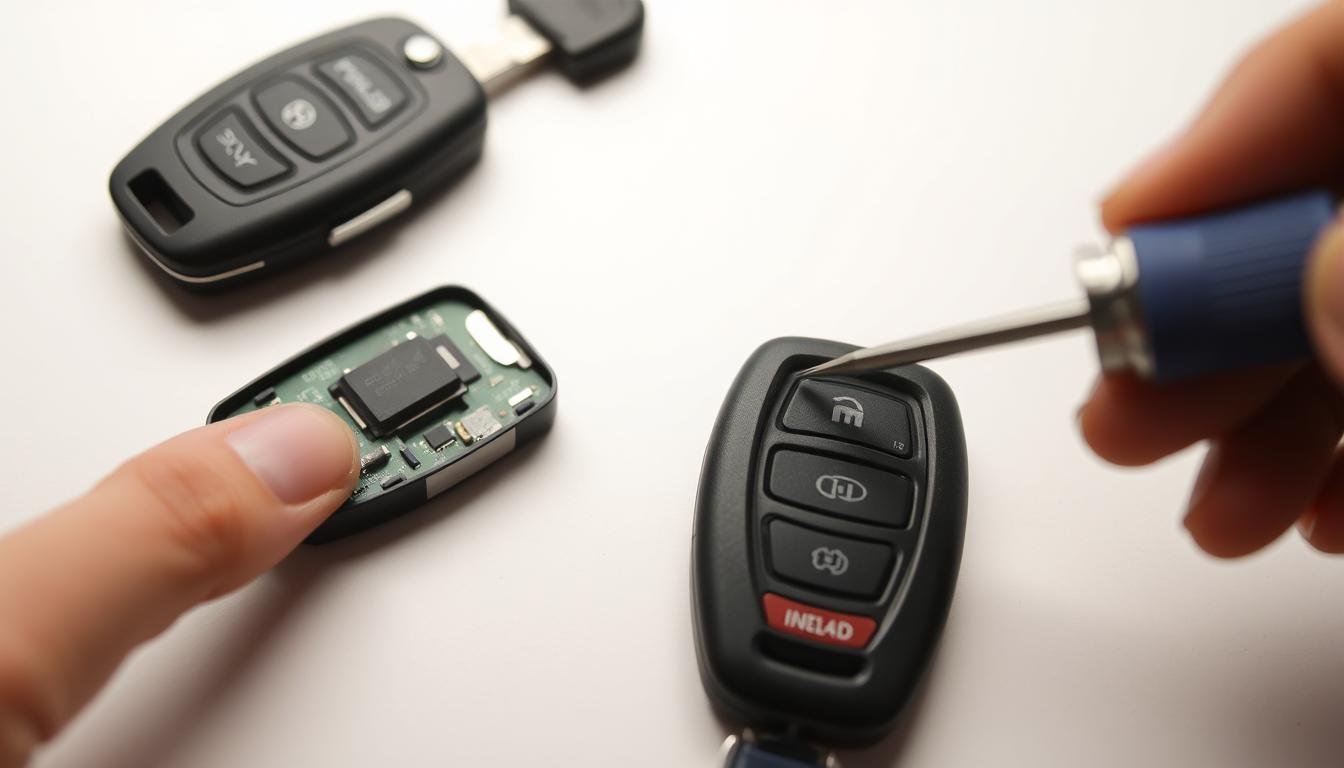
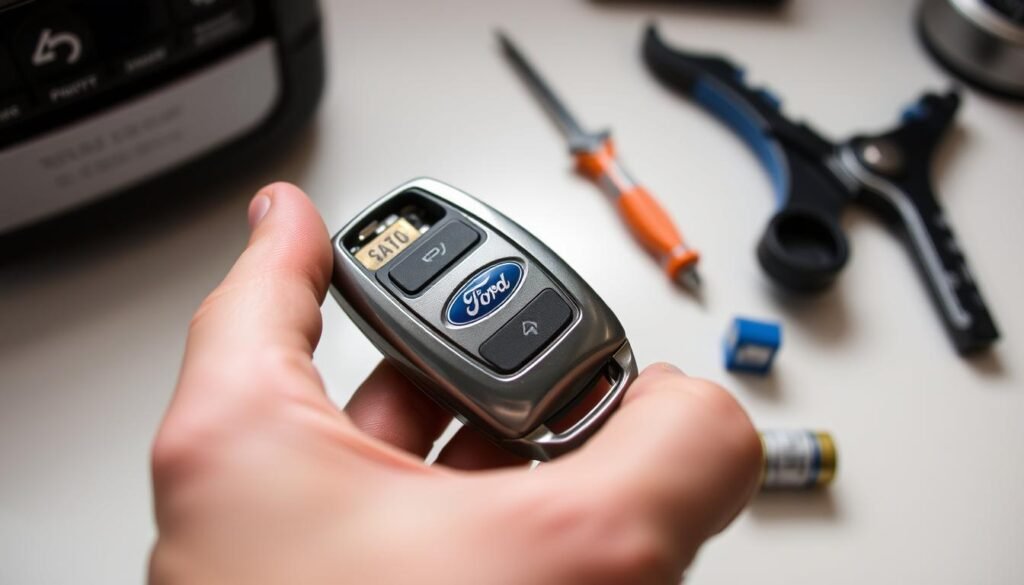
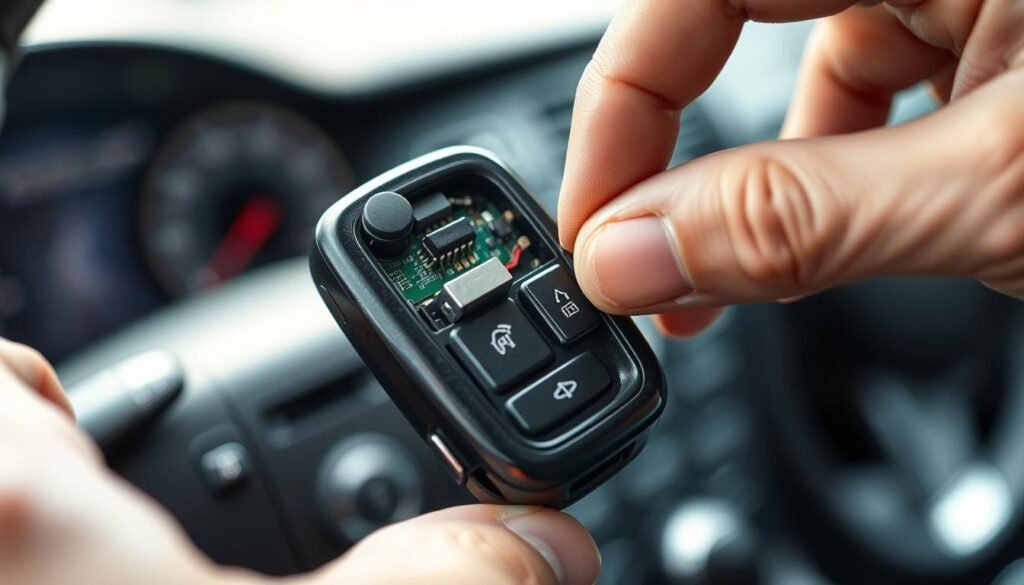
Opening a Ford key fob should be done carefully to avoid damage. First, find a small notch on the fob’s side or back. This is key for a smooth disassembly.
Then, take a small flathead screwdriver and gently insert it into the notch. Gently twist to start separating the fob halves.
If your key fob has a sliding cover, gently slide it off. Avoid using too much force to prevent cracking the plastic.
Being patient and careful will protect your key fob from damage. Using the right technique is important to access the fob’s inside parts.
Whether it’s for maintenance or changing the battery, follow these steps closely. It lowers the chance of hurting yourself or breaking the key fob.
Removing The Old Battery
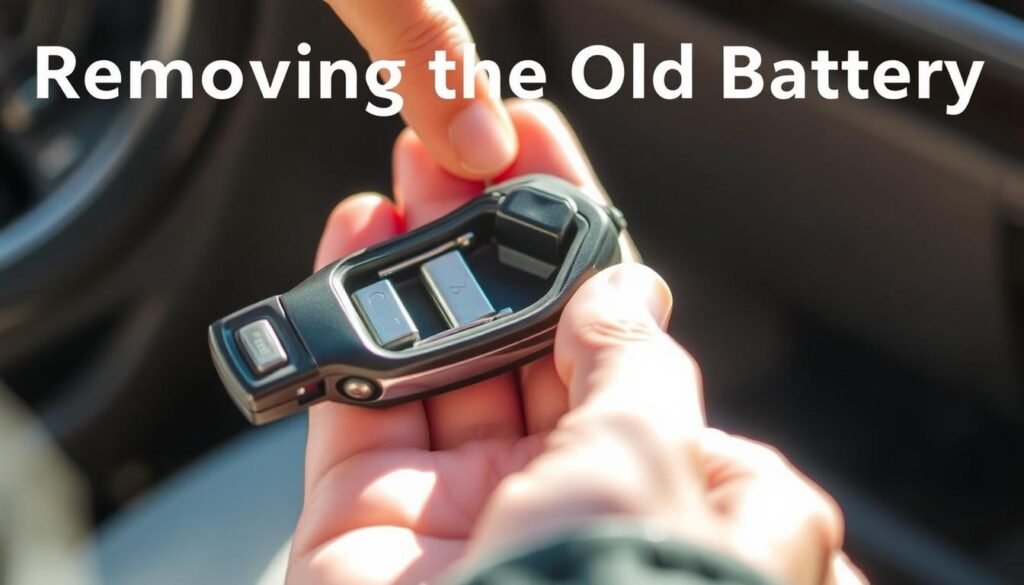
Open the key fob to start. Then, focus on getting the old Ford fob battery out. It might be held by a clip or sit in a little space.
Know how the battery fits in the fob. This detail is key for putting in a new battery right.
Identifying Battery Orientation
Before removing the old battery, look at how it sits. Spot the positive (+) and negative (-) ends. This step is vital for correct new battery installation.
Techniques for Easy Removal
Ready to take out the old Ford fob battery? Use thin tweezers or a small screwdriver. Carefully lift the battery out, avoiding damage.
Go easy to not hurt any parts. After removing it, throw the battery away properly.
Installing The New Battery
After taking out the old battery, it’s time to put in a new one. Make sure the new Ford key fob battery goes in the right way.
The new battery must face the same direction as the old one to work properly.
Correctly Positioning The New Battery
Be careful about how you insert the new battery. Look for the ‘+’ sign on the battery—it should be on top.
This step ensures the remote works right. Push the battery in gently until it clicks. If it’s not snug, your key fob might not work well.
Reassembling The Key Fob
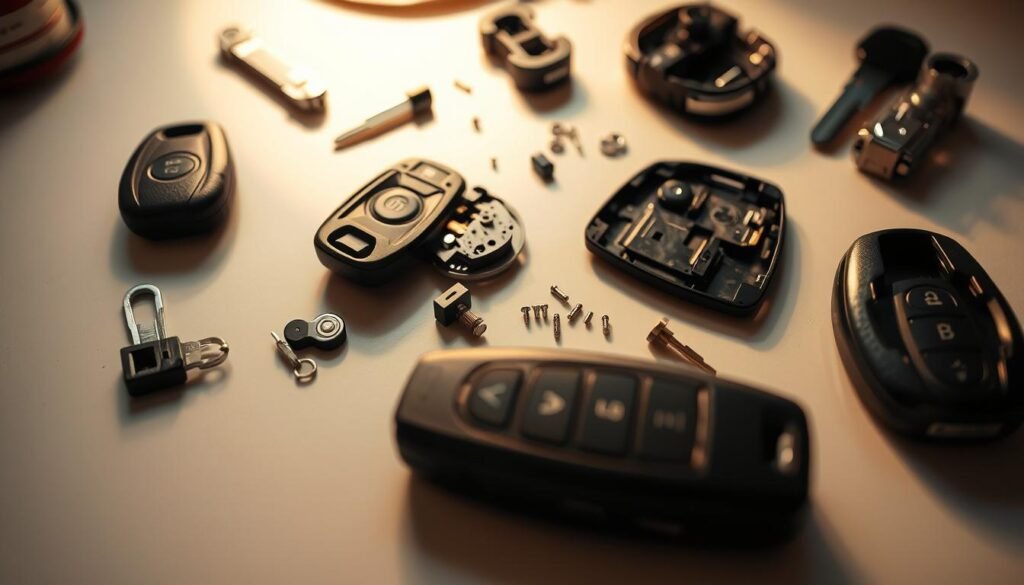
After replacing the battery, it’s time to put your Ford key fob back together. Start by lining up the two pieces carefully.
Make sure they fit well. When pushing them together, you should hear a click. This click means everything is in place.
For models with sliding covers, make sure the cover slides back smoothly. If it doesn’t, you might have issues later. These steps help ensure your key fob works right.
- Line up the two halves of the fob.
- Press firmly until you hear a click.
- For sliding covers, ensure proper placement of the cover.
Testing The New Battery
After you’ve put a new battery in your Ford key fob, you need to check if it all works right.
It’s important to test each part of the fob. Checking the Ford key fob ensures your car runs well and stays safe.
Functionality Check After Battery Replacement
To make sure the new battery works, here’s what to do:
- Stay close to your Ford to prevent problems with signal distance.
- Hit the lock button to see if the doors lock well.
- Use the unlock button to check if the doors open correctly.
- Try the trunk release to make sure it works easily.
- If you have a smart key, see if it starts your car without trouble.
- Last, test the panic alarm to confirm it functions right.
Following these steps helps you fully test the key fob’s battery. If something doesn’t work, go over the battery setup again to fix it.
Troubleshooting Common Key Fob Issues
If your key fob isn’t working right after putting in a new battery, don’t worry. There are steps to figure out and fix the problem.
Fixing issues with Ford key fobs can save you time and keep your car easy to get into. Here’s how to get your key fob working well again, especially after changing its battery.
When The Key Fob Doesn’t Work?
If your key fob stops responding, try these fixes:
- Check the battery orientation. Make sure the positive and negative sides match how they should sit in the fob.
- Confirm that the key fob is put together correctly. If it’s not, it might not work right.
- Get closer to your vehicle. Being too far away can weaken the signal.
- Look for any damage on the fob that might stop it from working.
Reprogramming Issues After Battery Change
Some Ford key fobs may need to be reprogrammed after you change the battery. If you run into problems, here’s what to do:
- Check your owner’s manual for reprogramming instructions specific to your model.
- If you’re stuck, a local Ford dealer can help you out.
- You can also look for advice on Ford forums or support groups online.
| Issue | Potential Solution |
|---|---|
| Key fob not responding | Check battery orientation and reassembly |
| Signal weakness | Move closer to the vehicle |
| Reprogramming needed | Refer to owner’s manual or dealer |
Additional Tips For Maintaining Your Ford Key Fob
Keeping your Ford key fob in good shape is key for its long-term performance. There are simple steps you can take to make your key fob last longer. These steps help it work well and reduce headaches.
Extending The Life of Your Key Fob
Be gentle with your key fob to make it last. Don’t drop it or leave it in hot or cold places, as this can harm it. Put extra batteries in a cool, dry spot because heat harms them.
Keep your key fob battery working well by protecting it from water and dirt. Clean it with a dry cloth to stop dirt from messing with its work.
Proper Storage and Care For Key Fobs
Where you keep your key fob matters a lot. Have a special place for it so it doesn’t get lost. Keep it away from electronics and magnets to avoid signal problems.
Conclusion
You now know how to open your Ford key fob. The steps given make sure you can change the battery or do any upkeep.
This keeps your car easy to access and in good shape. It’s important to regularly look after your key fob.
Changing the battery on time is part of this. Remember the steps and tools you need for opening your Ford key fob.
If you still have trouble with your key fob after trying the steps, get help from a pro. Taking care of your key fob means your Ford will always be ready for you.
FAQs
Q: How do I open my Ford key fob for battery replacement?
A: Find a small notch on the side or back of the fob. Use a flathead screwdriver and gently twist it to open the two halves. If needed, carefully slide off the cover.
Q: What tools do I need to replace my Ford key fob battery?
A: You’ll need a small flathead screwdriver and a new battery (CR2032 or CR2025). A plastic pry tool, needle-nose pliers, and a lint-free cloth for cleaning might also be helpful.
Q: Where can I find the correct battery type for my Ford key fob?
A: Look in your vehicle’s owner manual or check the old battery once you open the fob. Most Ford fobs use CR2032 or CR2025 batteries.
Q: How can I ensure the new battery is installed correctly?
A: Ensure the new battery’s ‘+’ symbol faces upwards, just like the old one did. This ensures it fits right into the key fob.
Q: What should I do if my key fob doesn’t work after replacing the battery?
A: Recheck the battery’s orientation and the fob’s assembly. Try using it closer to your vehicle. For further help, your owner’s manual might have reprogramming instructions.
Q: How can I extend the lifespan of my Ford key fob?
A: Be careful with it and avoid dropping it. Stay clear of extreme weather. Keep spare batteries in a cool, dry place. Clean the fob regularly with a microfiber cloth.
Q: Are there aftermarket options available for Ford key fobs?
A: Yes, you can find various aftermarket key fobs. Just make sure they match your Ford model for trustworthy performance.
Q: What if my key fob has physical damage?
A: If your key fob is damaged, you might need professional repair or a replacement. This ensures it works well.