How To Check Tire Pressure on Honda Civic? Quick 7 Guide
Checking your tire pressure is key to keeping your car in top shape. Start by getting a reliable tire pressure gauge.
With this, you can quickly see if your tires have the right amount of air. Knowing how to check the tire pressure boosts your car’s performance and keeps you safe.
Regular checks help tires last longer and save fuel. Always use the Honda Civic’s manual to find the right pressure. It’s key for good control and stopping power.
This guide will show you how to accurately check your tire pressure. Plus, you’ll get tips for keeping your tires in great condition. Follow it to keep your Honda Civic running well.
How Tire Pressure Affects Your Honda Civic’s Performance
Keeping the right tire pressure is key for your Honda Civic’s performance. Tires at the correct pressure improve grip, stability, and braking.
But, if you don’t keep an eye on your Honda Civic tire pressure, you might run into trouble while driving.
Tires that aren’t inflated enough increase rolling resistance. This makes your engine work harder and uses more fuel.
Also, when tire pressure is low, tires wear out unevenly. This can mess up how your car handles and feels on the road.
Over-inflated tires may seem like a good idea because they can improve fuel mileage and lower rolling resistance. But, they come with their own problems.
Too much pressure in your tires can make your ride rough and reduce how well you can control your car on wet or uneven surfaces.
It’s important to keep your Honda Civic tire safety by checking and keeping tire pressure right. Not keeping tires properly inflated increases the chance of tire failure.
Making sure your tires are at the right pressure is crucial. It not only makes your car run better but also keeps you safer on the road.
How To Check Tire Pressure on Honda Civic?
It’s key to check your Honda Civic’s tire pressure for safety and best performance. Start by getting the right tools for a correct pressure reading.
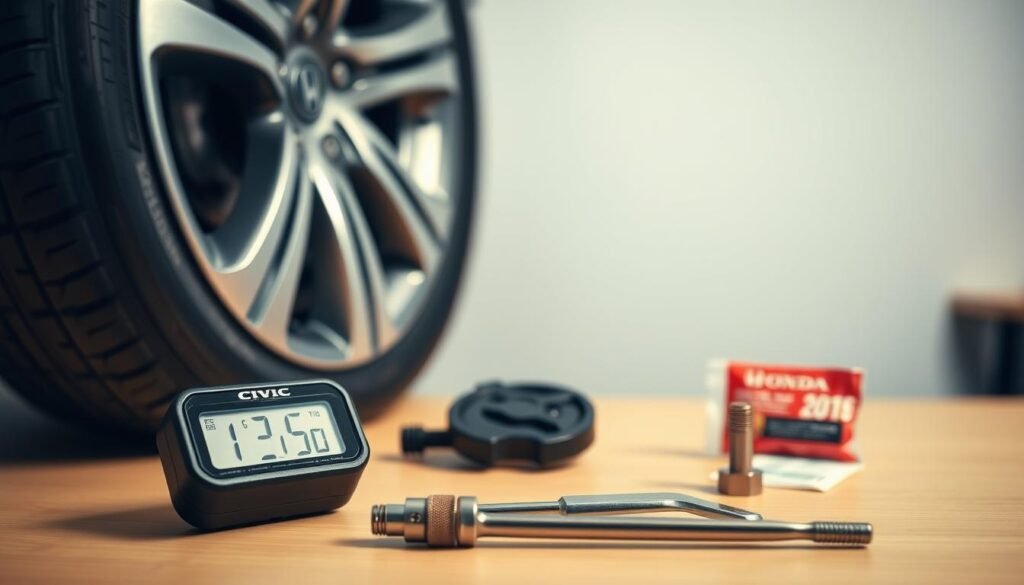
What You’ll Need For The Check?
- A high-quality tire pressure gauge for precise readings.
- Access to an air compressor for inflating tires if adjustments are necessary.
- Your Honda Civic’s ignition key to activate the TPMS system.
Step-by-Step Process To Check Tire Pressure
- Check TPMS Warning Light: Turn on your Honda’s ignition without starting the car. Look for the TPMS light on the dashboard. It means at least one tire is low if it’s on.
- Remove Valve Cap: Take off the cap from a tire’s valve stem to get ready.
- Attach Tire Pressure Gauge: Push the tire pressure gauge firmly onto the valve stem. Make sure there’s no hissing noise, which means it’s on right.
- Read Measurement: Write down the tire pressure and do the same for each tire. If the numbers look off, double-check to be sure.
- Adjust Pressure: If air is needed, use the air compressor. Fill to the pressure your car maker recommends. You can find this on a label inside the driver’s door.
Honda Civic Tire Pressure Monitoring System
The Honda Civic has a Tire Pressure Monitoring System (TPMS) that is very important for your car’s safety and performance.
This advanced system alerts you when your tire pressure is too low. While you’re driving, it checks the size and spin of each tire.
If a tire has too little air, a warning light comes on your dashboard. This tells you to check your tires.
Even though the TPMS is great at finding tires with low air, it doesn’t warn you about tires with too much air. So, you should still check your tire pressure yourself regularly.
Sometimes, the TPMS light turns on because of things like the weather getting colder, which can make tire pressure drop.
Knowing what affects your TPMS light helps you take care of your Honda Civic’s tires better.
| TPMS Feature | Description |
|---|---|
| Functionality | Monitors tire pressure and alerts for under-inflation |
| Components | Pressure sensors in each tire |
| Warning Types | Visual indicators on dashboard |
| Response Time | Immediate feedback during driving |
| Limitations | Does not alert for over-inflated tires |
Honda Civic Tire Pressure Guidelines
Keeping the right tire pressure in your Honda Civic is key for your car’s best performance, safety, and gas mileage.
Each Honda Civic model needs specific tire pressures to work best. These recommended pressures are usually between 30 to 35 PSI, depending on if the tires are in front or back.
Learning Pressure Specifications
It’s really important to stick to the tire pressure guidelines given by the manufacturer for your Honda Civic.
These guidelines change depending on the model year and the type of tires you have.
Making sure your tires are filled to the right PSI level helps prevent them from wearing out unevenly, stops blowouts, and makes your ride smoother.
Where To Find The Tire Pressure Label
To find the tire pressure info for your Civic, just open the driver’s door and look at the door frame’s side.
You’ll see a sticker there that tells you how much air your tires need, whether they’re cold or hot.
By following what the sticker says, you can keep your tires in great shape, following the car maker’s best advice.

How To Properly Check Tire Pressure on Honda Civic
Start by checking your tires when they’re cold. This matters because driving heats up tires. This heat can make the pressure seem higher than it is.
Using a trusted tire pressure gauge and your car’s Tire Pressure Monitoring System (TPMS) helps.
It makes sure you get correct pressure readings, keeping your Honda Civic’s tires in top shape.
Here are the steps to follow:
- Gather your tools: a tire pressure gauge and an optional digital readout for added accuracy.
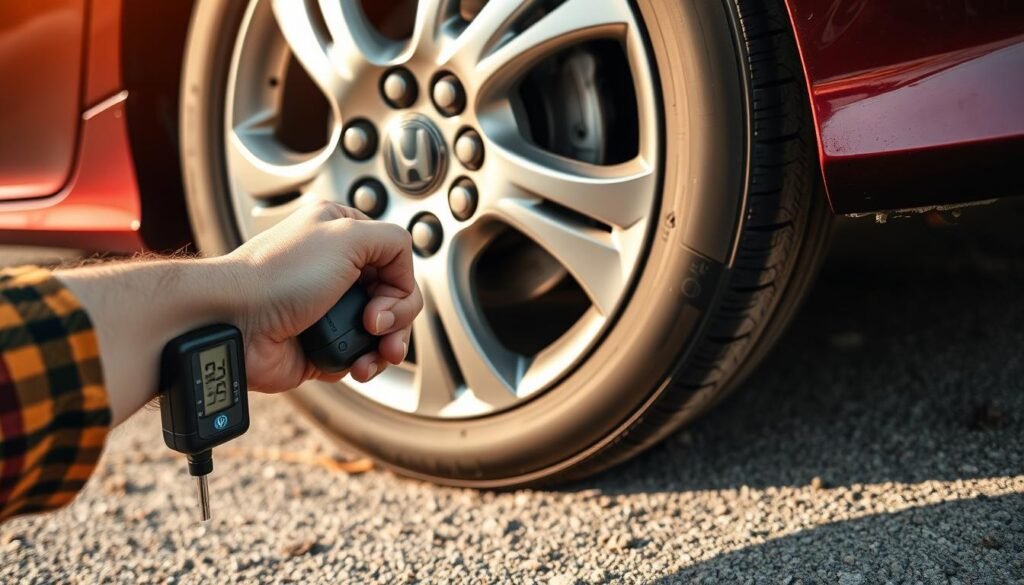
- Remove the valve stem cap from the tire you wish to check.
- Press the gauge onto the valve stem firmly to avoid air leakage.
- Note the pressure reading displayed on the gauge.
- Repeat this process on all four tires.
After doing these steps, match the readings with the recommended pressures from your owner’s manual.
It’s important to keep your tire pressure right. It helps your Honda Civic run safely and smoothly.
| Tire Position | Recommended Pressure (PSI) |
|---|---|
| Front Left | 32 |
| Front Right | 32 |
| Rear Left | 30 |
| Rear Right | 30 |
Common Mistakes in Checking Tire Pressure
Checking your Honda Civic’s tire pressure is key to its performance. Many drivers mess up the tire pressure check. This leads to bad handling, more tire wear, and safety issues.
One big mistake is checking tire pressure when tires are hot, not cold. This gives inflated readings and can cause under-inflation in normal conditions.
Another error is thinking all tires need the same pressure. Each tire might need different pressure depending on their spot on the car or the load they carry.
Always check each tire on its own for the best performance. Not putting back valve caps after checking can cause valve stem contamination and slow leaks.
Ignoring TPMS alerts is a serious mistake. If the TPMS light comes on, check all tires and adjust their pressures.
Staying clear of these common errors makes your drive safer and extends your tires’ life.
Honda Civic Tire Pressure Maintenance Tips
Keeping the right tire pressure is key for your Honda Civic’s performance and safety.
Checking your tire pressure regularly makes sure your car runs well. It also helps your tires last longer and your car use less gas.
Frequency of Checking Tire Pressure
Check your tire pressure at least once a month. This step is vital for your car’s upkeep and before long trips. Also, check your tires often when the weather changes a lot.
Not enough air in your tires can make your car run poorly, wear out your tires faster, and be unsafe.
Adjusting Tire Pressure For Seasonal Changes
It’s important to adjust tire pressure with the seasons for the best performance. In cold weather, air shrinks and lowers tire pressure.
Pay extra attention to your tire pressure in the winter to keep them properly inflated.
Warm weather can make tire pressure go up. Adjusting it helps your car drive better and keeps you safe.
| Temperature Range (°F) | Recommended Tire Pressure (PSI) |
|---|---|
| Below 32°F | 32-34 PSI |
| 32°F – 60°F | 30-32 PSI |
| 60°F – 70°F | 30 PSI |
| Above 70°F | 30-32 PSI |
What To Do If Your TPMS Light Is On?
When the TPMS light on your Honda Civic lights up, it’s essential to act quickly. Begin by manually checking the tire pressure of each tire.
Check for any tires that might be low on air. After finding tires with low pressure, inflate them to the right levels. Doing this often fixes the Honda Civic’s TPMS alert.
If the light doesn’t turn off after inflating the tires, you’ll need to reset the TPMS. Follow the reset steps in your owner’s manual to clear the warning light.
If the TPMS light still won’t go off, there might be a system issue. This means you’ll need to get professional help. Keeping your TPMS working is key to having safe and efficient tires while driving.
Conclusion
Keeping the right tire pressure in your Honda Civic is key for safety and top performance.
Checking your tire pressure often boosts how your car drives, uses fuel, and how long the tires last.
Making tire pressure checks part of your regular car care means you’re looking out for your safety and your car’s dependability.
There are many good reasons to check tire pressure, like less tire wear and better gas mileage. It’s a critical step for all Honda Civic owners.
By keeping up with tire pressure, you improve your drive and help your car last longer on the road.
Regularly checking your tire pressure shows you take care of your car. With the tips from this guide, your Honda Civic will run well and efficiently for a long time.
FAQs
Q: How often should I check the tire pressure on my Honda Civic?
A: You should check your tire pressure at least once a month and before you go on long trips. It’s also wise to check when the weather changes a lot.
Q: What do I do if my TPMS light is on?
A: First, check the pressure in each tire yourself. Inflate any that are low to their correct levels. If the light stays on, you might need to reset the TPMS, as your owner’s manual explains.
Q: Where can I find the tire pressure specifications for my Honda Civic?
A: Look for a label inside the driver’s side door jamb of your Honda Civic. This label tells you the right pressure for your tires, whether they’re cold or hot.
Q: Can I rely on the TPMS for accurate tire pressure readings?
A: The TPMS helps by alerting you to really low tire pressure. But it might not tell you if the tires are over-inflated. Always check the pressure yourself to be sure.
Q: What tools do I need to check the tire pressure?
A: You’ll need a good tire pressure gauge and an air compressor to pump your tires. Don’t forget your Honda Civic’s ignition key to check the TPMS.
Q: How does temperature affect my tire pressure?
A: When it gets colder, your tire pressure might drop. When it’s warmer, it could go up. Make sure you adjust your tire pressure with the seasons to keep your car running safely and smoothly.
Q: What are some common mistakes when checking tire pressure?
A: Some mistakes include checking the pressure when the tires are warm and not checking every tire. Also, forgetting to put the valve caps back on after checking and ignoring TPMS warnings.